AI assistants that know your company’s documents, work inside your systems and stay within clear limits.
A general chat tool knows nothing about your price list, procedures or a customer’s orders. An enterprise AI assistant does: it draws on your own documents and systems, shows where each answer comes from and does not share what the user is not allowed to see. It can serve staff as an internal knowledge assistant, customers as a chatbot, or run work in the background as an agent.
In this service, AI is the product we hand over to you. We choose the right language model, connect your data securely, define which tools the assistant may use and with what permissions, and set up an evaluation routine that measures answer quality. The result is not a demo but a system with clear permissions, logs and boundaries that people use safely in their daily work.
- 01Companies where HR, finance or IT answer the same internal questions every day.
- 02Support teams whose customer questions are mostly repetitive and document-based.
- 03Operations units that re-key data from invoices, contracts or application forms by hand.
- 04Firms that want their sales team to reach product, pricing and technical knowledge instantly.
- 05Organisations that have tried AI but held back on rolling it out over security and accuracy concerns.
- 06Software and SaaS companies that want to add AI features to their own product.
What is an enterprise AI assistant and how is it different from ChatGPT?
General tools like ChatGPT are trained on broad world knowledge but do not know your company. When an employee asks about an internal procedure, they either guess or say they do not know. Staff pasting confidential documents into personal accounts is also a serious data risk. An enterprise AI assistant connects the same language model technology to your own data, under your own rules.
The differences are concrete: the assistant shows which document an answer came from, never sees documents the user is not cleared for, says it does not know rather than inventing an answer that is not in the sources, and every conversation is stored in a log your company controls. Model provider terms are chosen so that your data is not used to train their models.
In short, the difference lies less in the model itself than in the structure built around it: data connections, permissions, logging and evaluation. Building that structure is exactly what we do.
How does RAG work and where does the assistant find the right answer?
RAG (retrieval-augmented generation) means the assistant searches your document store before it writes an answer. Documents are split into small passages and indexed by meaning; when a question comes in, the most relevant passages are retrieved and handed to the model with an instruction to answer only from them. The model uses your current knowledge and cites its source under the answer.
RAG quality depends more on data preparation than on model choice. If three versions of the same policy sit in the archive, the assistant will hesitate too. That is why we make document ownership, update flows and permission tags part of the project. Difficult sources such as tables, scanned PDFs and e-mail archives get their own processing steps. When a document changes, the index refreshes automatically, so the assistant does not keep describing an outdated procedure.
What is an AI agent and when is an assistant not enough?
An assistant answers questions; an agent gets work done. An AI agent plans several steps on its own using defined tools: it reads a customer request, finds the record in the CRM, checks the order status, drafts a reply and opens a task if needed. A document-reading agent takes an incoming invoice or application form, extracts the fields, checks them against your rules and prepares them for entry into your system.
Agents are powerful but should never be left unbounded. For each agent we define which tools it can reach, which actions it may only suggest and which it may carry out, and at what threshold it hands over to a person. For hard-to-reverse steps such as moving money, sending formal correspondence to customers or deleting records, approval always stays with a human. Every action is logged with its reasoning.
Common mistakes and what a good AI project looks like
The most common mistake is starting with ‘let’s add AI’ without a clear business goal. The second is opening up an assistant that looked impressive in a demo but was never measured against real questions. The third is ignoring cost and latency; calling the largest model for every question can be both expensive and slow. In a well-designed setup, simple questions go to lighter models and complex ones to stronger models.
The marks of a good project are these: accuracy was measured against a test set before launch, answers cite their sources, the assistant says so when it does not know, users can flag a bad answer in one click and those flags are reviewed regularly. Who asked what, and at what cost, is also visible. Without this discipline an AI project stays an experiment; with it, it becomes a lasting part of daily work.
- 01Internal knowledge assistant with cited sources
- 02Customer-facing assistant for website and messaging channels
- 03Document reading and data extraction pipelines
- 04Tool-using AI agents with scoped permissions
- 05Test set and evaluation dashboard for answer quality
- 06Access control, logging and cost monitoring
Model-agnostic architecture
We do not lock you into one provider. We build the assistant so that when a better or cheaper model appears, you can switch without a major rewrite.
We run AI inside our own products
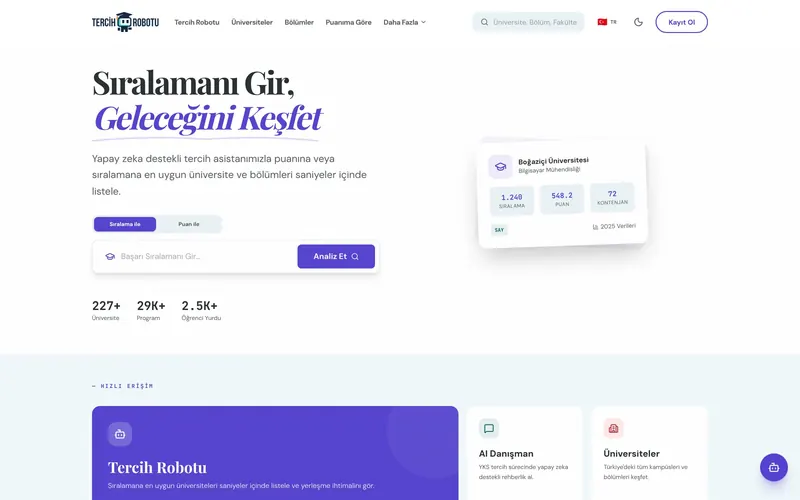
We build and operate the AI features in Rocketly CRM and the guidance assistant in Tercih Robotu ourselves. We know how accuracy, cost and latency are managed under real user traffic.
No launch without measurement
Every assistant is evaluated against a test set built from real questions. When a model or setting changes, the same set is re-run, and if quality drops the change does not go live.
Data security by design
Access control, masking of personal data, logging and the region where data is processed are settled at the start. KVKK and GDPR obligations are handled while the architecture is designed, not afterwards.
We narrow the use case
Instead of an assistant that knows everything, we start with one measurable job: which questions, for whom, from which sources, and how success will be judged.
We prepare and connect the data
We clean the documents, weed out outdated ones and tag access levels. Then we connect the assistant to your document store and the systems it needs through secure connections.
We build against a test set
We put together a test set from real questions and try model and configuration choices against it. Accuracy, citation and refusal behaviour are measured before launch.
Controlled rollout and tuning
We open it to a small group first and let users flag poor answers. We use that feedback and the logs to improve the assistant on a regular cycle.
The main factors behind the quote are the number of use cases, how many and how scattered the data sources are, how much the documents need preparing, the tools the agent will use and how deep its permissions go, the number of users and channels, and security requirements. Besides the build, there is a variable running cost from model usage, which we model transparently up front based on expected volume. We usually recommend starting with a pilot limited to a single use case.
Let’s talk about this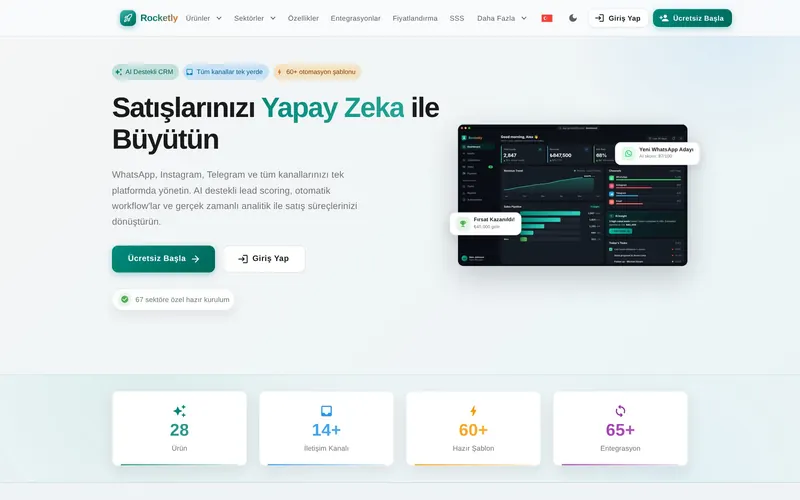
Traditional chatbots run on pre-written decision trees and get stuck on anything outside the script. An AI chatbot understands questions in free language, builds answers from your documents and recognises the same question phrased in different ways. Set up properly, it does not make things up on unknown topics and hands the conversation to a human agent instead.
No, and we secure this at both the contract and the configuration level. Under enterprise API terms your data is not used for model training. For stricter requirements, services that process data in a specific region or open-source models running on your own infrastructure are also on the table.
We reduce the risk on three layers: the assistant answers only from the sources provided and cites them, it says it does not know when the answer is not in the sources, and users can flag wrong answers. Flagged answers are reviewed regularly and added to the test set so the same mistake does not come back.
We are not tied to any single model. We choose among major commercial models or open-source ones based on the use case, language performance, cost, latency and data terms. The architecture is built to allow switching; when a better option appears, you can compare it against the test set and move over.
Current large language models understand Turkish well and write it fluently, and the same goes for English and other major languages. Even so, we support the assistant with a glossary and sample questions for your industry terms, abbreviations and product names. One assistant can answer each user in the language they ask in.
Yes. Fields such as amounts, dates, tax numbers and line items can be extracted from invoices, delivery notes, contracts and forms, whether scanned PDFs, photos or e-mail attachments. The extracted data is checked against rules; uncertain fields are shown to a person for confirmation before being passed into your system.
In most cases, yes. We can add features such as summarisation, classification, suggestions, natural-language search or an assistant panel to your existing application through an API. We first decide which screen and which task will benefit, then build the connection with a layer that keeps cost and latency under control.
Yes. An assistant using the same knowledge base can run in a chat window on your website, through the official WhatsApp Business API or in your internal communication tools. Tone, permissions and hand-over rules to a human agent are set separately for each channel, and conversations are stored in a single log.
A pilot focused on one use case, with documents in reasonable shape, can be in front of users within a few weeks. What usually stretches the timeline is not the technology but scattered, outdated documents. For agent projects, the schedule grows with the number of systems and permissions involved.
I usually reply within 24 hours.