We bring WhatsApp, Instagram, email, live chat and phone into one inbox, so every conversation has an owner and a response time.
Customers rarely stick to one channel. They ask about price on Instagram in the morning, check an order on WhatsApp at lunch and send a return request by email in the evening. When each channel lives on a separate phone or dashboard, the team can’t see the history and the same question gets answered twice or not at all. Our omnichannel communication work brings those channels into one shared inbox.
Merging channels is only half the job, though. The real difference lies in the rules: who gets each conversation and in what order, how fast it must be answered, what happens out of hours and when it escalates to a supervisor. We set up omnichannel customer service with those rules, a library of saved replies and per-channel measurement, so your team sees the customer’s full history in every conversation.
- 01Support and sales teams whose customer messages are spread across several phones and separate dashboards.
- 02E-commerce and retail brands handling heavy order and question volume through Instagram DMs and WhatsApp.
- 03Clinics, schools and service businesses that manage bookings, changes and reminders over messaging.
- 04Call centers that want phone calls in the same customer history as written channels.
- 05Businesses that don’t want to lose out-of-hours messages and need a faster first response.
- 06Companies running one customer service team for several branches or brands.
What is omnichannel communication, and how does it differ from multichannel?
With multichannel communication a business is present on several channels, but those channels know nothing about each other. The social team runs Instagram, sales runs WhatsApp, support runs email, and a customer who switches channel has to tell the story from the beginning. With omnichannel communication the channels come together in one customer record. An agent sees on one screen what the person asked on Instagram yesterday, what was said on the phone last week and which email is still waiting for a reply.
In practice the difference is simple: customers don’t repeat themselves, the team doesn’t answer the same question twice, and managers can measure how much load each channel brings. Omnichannel customer service is less a software feature than a way of working; until it’s clear who owns which conversation, when a conversation counts as closed and how handoffs happen, the tool alone won’t change the outcome. Pipeline and quote tracking belong to the CRM side; here our focus is the conversation itself, its speed and its quality.
How a unified inbox works and which channels it connects
A unified inbox is where messages from every channel come together on one screen, grouped by conversation. In most of our setups we use Rocketly, the platform we built and run ourselves. For WhatsApp we connect through Meta’s official WhatsApp Business API on the business’s own number; templates go through approval and sends depend on recipient opt-in. Instagram DMs, Facebook Messenger, email addresses and a live chat widget on your website all land in the same inbox.
On the phone side, call center or PBX integration logs inbound and outbound calls, with recordings and notes, into the same customer history. If the caller’s number is recognised, the customer card opens on the agent’s screen. Written channels and voice calls stop being separate worlds. The team replies from the same number and the same company account, which ends the era of conversations piling up on personal phones and vanishing when someone leaves.
How routing, SLAs and automated replies are set up
Once messages are in one inbox, the next question is who looks at what. We set up rules that route conversations to the right team by language, channel, topic or customer segment; within a team, distribution runs by rotation or by each agent’s current load. Target first-response and resolution times are defined per topic; as a deadline approaches the conversation moves up the queue, and when it’s missed a supervisor is notified.
On the automation side come welcome messages, out-of-hours replies and automatic answers to simple questions such as order or booking status. Where it fits, we also place an AI assistant inside the flow that answers frequent questions and hands the conversation to a person when needed. The rule is clear: when the assistant steps in and when it passes to an agent is defined in advance, and a customer who wants to talk to a human can always do so.
A library of saved replies belongs to this layer too. Agents use approved wording for common topics with a few keystrokes, so speed goes up while the brand’s voice stays consistent.
Common mistakes and how to measure good customer communication
The most common mistake we see is merging channels without writing the rules. When everyone sees every message, nobody takes ownership and conversations sit in limbo. Others include sending bulk WhatsApp messages without opt-in and putting the number at risk, relying on unofficial connection tools, stretching automated replies so far that reaching a human becomes impossible, and moving personal data between channels in ways that breach KVKK or GDPR.
The signs of a good result can be counted: first-response time by channel, first-contact resolution rate, reopened conversations, out-of-hours backlog and post-conversation satisfaction scores. We track these by agent and by team, and in weekly reviews decide together which topics need more automation and which need more training. Depending on scope, most setups go live within a few weeks.
There’s also a less visible measure: how many times the customer has to give the same information. A team that asks for an order number or address again on every channel leaves the impression of a disorganised company, however fast it replies. When a unified inbox, a single customer record and well-written rules come together, that repetition disappears and the agent can get to the point from the very first message.
- 01Unified inbox and channel connections
- 02Routing, queue and SLA rules
- 03Live chat widget for your website
- 04Call center and phone system integration
- 05Saved replies and message template library
- 06Service reports by channel and agent
A platform we run ourselves
We built and run Rocketly, the platform behind the unified inbox. When a channel connection or a rule needs to change, we can adapt the product itself instead of waiting on someone else’s roadmap.
Official connections only
We connect WhatsApp through the official Business API on your own number. Sends rely on recipient opt-in, and we never use unofficial tools that put the number at risk of a ban.
Rules first, tools second
Before any setup we write down who owns which conversations, target response times and handoff steps. Your team opens the new system on day one with a clear structure, not guesswork.
A human is always reachable
We set up automation and AI assistants to take load off the team, not to stall customers. Every flow keeps a clear path to an agent, and sensitive topics go straight to a person.
Channel and volume audit
We measure how many messages arrive on each channel per day, peak hours, first-response time and the most common topics to get a clear picture of today.
Flow and rules design
We put teams, queues, routing logic, out-of-hours replies, escalation steps and target response times for each topic in writing.
Connection and testing
We connect WhatsApp Business API, Instagram, email, live chat and the phone system, prepare message templates for approval and test every scenario with real messages.
Go-live and improvement
We train agents, watch response times and handoffs together in the first weeks, and update rules and saved replies based on real conversations.
We don’t quote fixed packages for omnichannel setups; every proposal is scoped to the work. What drives it is the number of channels and numbers to connect, agent count and team structure, message volume, whether a PBX or call center integration is needed, the scope of automation and any AI assistant, and the level of support after go-live. WhatsApp’s own conversation charges are billed separately by Meta, and our written proposal spells that out clearly.
Let’s talk about this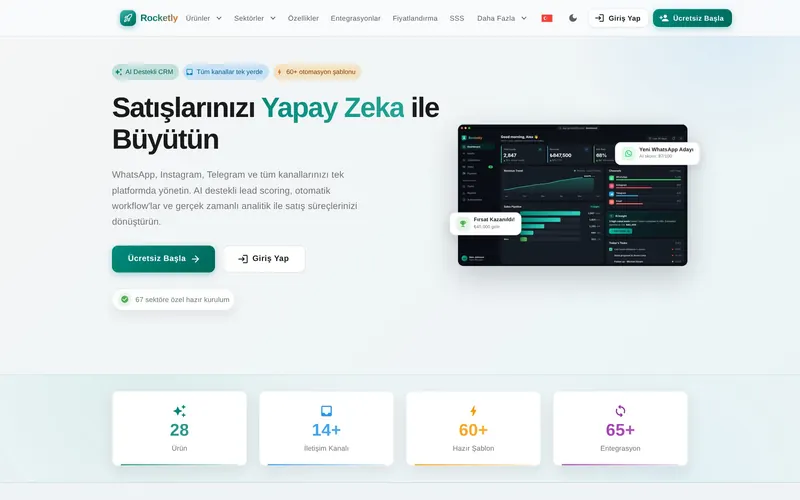
Omnichannel means all of a business’s communication channels with customers come together in one system, around one customer history. Whatever channel a customer uses, the agent sees every previous conversation. The aim is an uninterrupted experience in which customers never have to repeat themselves, even when they switch channel.
A unified inbox is a single screen where messages from channels such as WhatsApp, Instagram DMs, email and live chat are gathered and managed by the whole team. Conversations are assigned to agents, internal notes are added and status is tracked, so no message stays stuck on an employee’s personal phone.
The app is built for a single phone and a limited number of linked devices, which can be enough for very small businesses. The Business API lets several agents use the same number from a shared inbox and supports automation and system integration. With the API, templates go through Meta’s approval and conversations are billed separately by Meta.
Yes. Instagram profiles set up as business accounts are added to the inbox through Meta’s official connection. Direct messages and story replies arrive as conversations, and agents answer from the same screen. If the same person later writes on WhatsApp, the two conversations can be merged into a single customer record.
A small code snippet adds the live chat widget to your site, styled to match your brand. Visitor messages go straight to the unified inbox. Out of hours the widget can switch to a form or answer common questions automatically, and if the visitor leaves the site, the conversation can continue by email or WhatsApp.
We connect to your PBX or cloud phone system and log calls against the customer record. On an incoming call the customer card opens on the agent’s screen, and call duration, recording and notes are added to the conversation history. When a topic that started on the phone continues on WhatsApp, the agent already knows what was said.
With the recipient’s explicit opt-in and Meta-approved templates, bulk sending through the official API is possible. Unsolicited sends are risky under KVKK, GDPR and commercial messaging rules, and blocks and complaints drag down the number’s quality rating. We treat consent collection and template preparation as part of the setup.
No. It answers simple, repetitive questions, takes load off the team and gives a first response out of hours. Sensitive topics such as complaints, returns and payment issues, along with complex requests, go to an agent. During setup we define exactly which topics the assistant handles and when it hands over to a person.
Omnichannel is about bringing customer conversations together across channels and answering them quickly and consistently. CRM is about the sales pipeline, opportunities, quotes and forecasting. Because Rocketly offers both on the same data they can be set up together, but you can also start with the customer service side alone.
I usually reply within 24 hours.